Find what makes your site harder to use or discover.
Get a prioritized list of technical and content issues, with steps your team can act on. Share the findings with your AI for help.
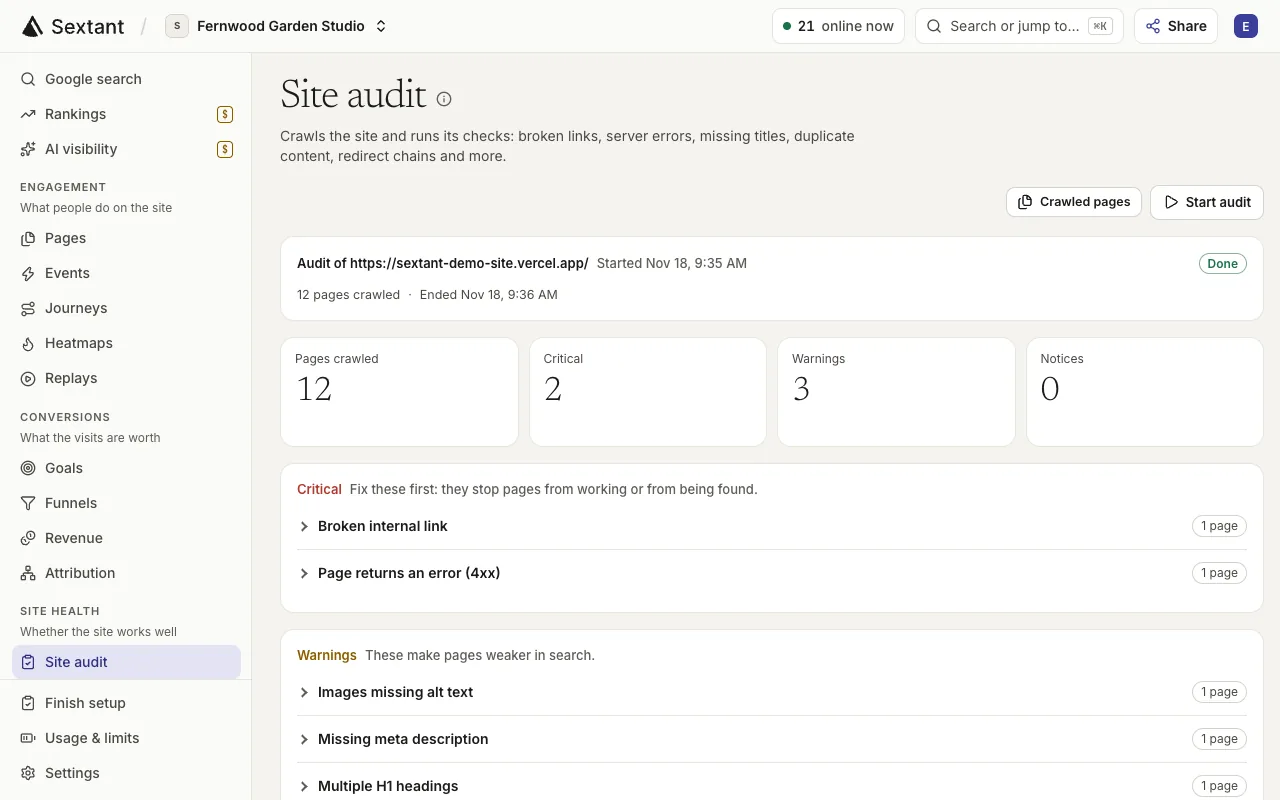
What is site audit in Sextant?
Sextant crawls your site for issues such as broken links, missing titles and structured data problems, then gives you steps to fix them. Standard weekly audits use no Research credit; optional speed tests and JavaScript rendering use credit.
“Is anything broken on my site?”
Find broken links, error pages and other issues, sorted from critical to notices, with steps to fix each one.
- Find broken links and error pages
- See critical issues first, then warnings
- Get steps to fix every issue
- Copy a prompt to fix it with your AI


“Which pages are slow on phones?”
Run Lighthouse speed tests on mobile and desktop, and compare them with Core Web Vitals from your real visitors.
- Lighthouse scores for mobile and desktop
- Core Web Vitals from real visitors’ browsers
- Find pages with slow server responses
- Check titles, headings and word counts on crawled pages
What’s included
- Broken internal links and error pages
- Server errors and slow server responses
- Missing, duplicate, long or short titles and descriptions
- Missing or multiple H1 headings
- Redirect chains and redirect loops
- Canonical conflicts and noindex pages
- Duplicate and thin content
- Images missing alt text
- Orphan pages and pages deep in the site
- Structured data checks
- Lighthouse speed tests on mobile and desktop
- Steps to fix each issue, and a prompt for your AI
Who it helps
- Business owners & founders Catch broken links and slow pages on your booking or contact path, with plain steps to fix them.
- In-house marketing teams Turn each audit into a prioritized fix list for your developers or your website team.
- Agencies & freelancers Give each client a focused fix list and use weekly audits to follow up on the work.
Questions about Site audit
It checks every crawled page for broken links, error pages, server errors, missing or duplicate titles and descriptions, heading problems, redirect chains, canonical conflicts, thin or duplicate content, images without alt text, orphan pages and structured data.
New sites get an automatic weekly audit. You can also start one at any time from the Site audit page or from your AI.
Standard crawls use no Research credit. Optional speed tests and JavaScript rendering use credit for each page.
No. Sextant never edits your website. Each issue has steps to fix it, and “Copy AI prompt to fix” gives your AI the details; an AI with separate edit access can make the changes you approve.
Yes. Ignore a finding and it stays hidden in future audits, for you and for your AI.
If your site limits the crawler, Sextant slows down and tries again. Pages it still cannot read are marked as blocked or rate limited, not reported as errors.