See what brings people to your site, and what they do next.
See which channels and pages bring visitors, and which visits lead to inquiries or sales. Explore cookie-free analytics in the dashboard or your AI.
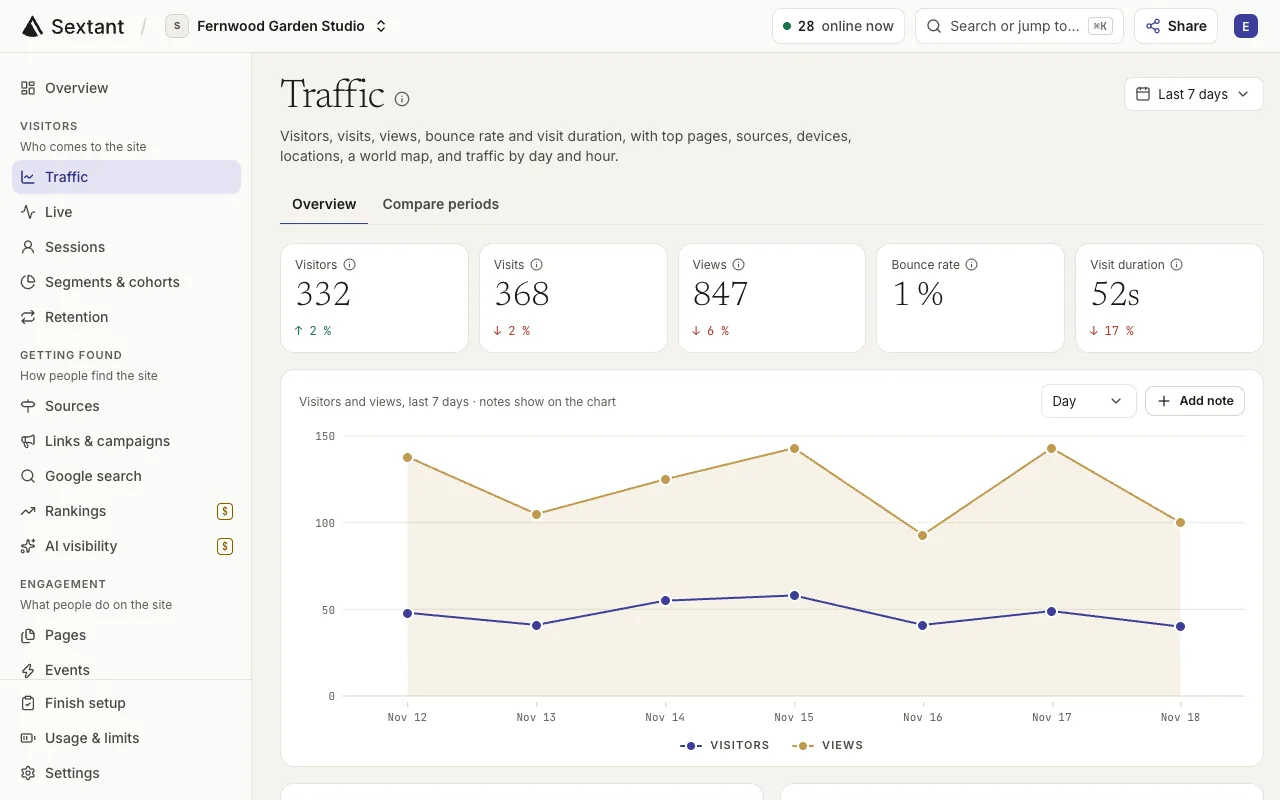
What is website analytics in Sextant?
Sextant connects website traffic, visitor journeys and conversions so you can see what is working and where people drop out. Measure visits without cookies or stored IP addresses, then explore the data in the dashboard or your AI.
“Where did last week’s visitors come from?”
See visitors, visits and views by page, source, device and country, including visits from AI chatbots such as ChatGPT.
- See channels: search, social, email and AI chatbots
- Find your top entry and exit pages
- Break down visits by country, device and browser
- Ask your AI what changed since last week


“How many visitors book a call?”
Set a goal for a thank-you page or a form event, then see the conversion rate and where visitors drop out on the way.
- Count goals such as a booked call or a sent form
- See where visitors leave a 2 to 8 step funnel
- Credit sources and campaigns by first or last click
- Add up revenue from events that carry an amount
“What do visitors read before they get in touch?”
Follow the most common paths through your site, see who comes back, and open any session to see its timeline step by step.
- See the most common paths, page by page
- See how many visitors come back within 28 days
- Open a session to see each page and event
- Watch the last 30 minutes in the live view
What’s included
- Visitors, visits, views, bounce rate and visit duration
- Sources and channels, including AI chatbots
- Page traffic with entry and exit pages
- Countries, regions, cities, devices and browsers
- Custom events and event properties
- Goals, funnels and first- or last-click attribution
- Journeys, retention, segments and cohorts
- Revenue from events with an amount and a currency
- UTM campaigns, short links and tracking pixels
- A live view of the last 30 minutes
- Core Web Vitals from real visitors
- History import from Google Analytics 4 or a CSV file
Who it helps
- Business owners & founders See which pages and channels lead to inquiries, without learning a complicated analytics tool.
- In-house marketing teams Connect campaigns to goals and funnels, then show leadership where results changed.
- Agencies & freelancers Review each client’s traffic and conversions before a call, then turn the findings into recommendations.
Questions about Website analytics
No. The tracking code counts visits without cookies and does not keep IP addresses. Sextant knows a visitor by a code made from the network address and the browser, and that code changes each month.
Yes. In Settings › Import data, connect Google Analytics 4 or upload a CSV file from another tool. Sextant adds the days before your first tracked day, and you can undo an import.
Yes. The Sources page groups visits from AI chatbots such as ChatGPT, Claude and Gemini into their own channel, next to search, social, email and paid ads.
Pro includes 500,000 events a month for up to 10 sites and keeps 2 years of history. Enterprise includes 5,000,000 events for up to 100 sites and keeps 3 years. Extra events cost $3 per 100,000, only up to a limit the workspace owner sets.
Copy the tracking code from Settings › Tracking into every page. Setup has steps for Webflow, WordPress, Shopify, Squarespace, Wix, Framer, Google Tag Manager, custom code and more.